Components in Tybios
Summary
All Tybios’s components can be found in the namespace tybios in Typst, and rendered correctly both in web and PDF output. You can use them to add some extra information or decoration to your posts.
Ruby
Ruby, also known as furigana, is a small annotation that appears above or next to a word. It’s commonly used in Japanese to show the pronunciation of kanji characters.
#tybios.ruby("ruby top", "ruby base")#tybios.ruby("rt|and|rb|can|splited|by|bars", "but|must|has|same|number|of|bars")#tybios.ruby([contents], [auto convert to string])Margin Notes
This is a margin note. It can be used to add some extra information without interrupting the reading flow.
Margin note is a special footnote (or sidenote) that appears in the margin of the page also, but without a marker in the main text. You can use it to add some extra information without interrupting the reading flow.
// Just like footnote, only one line of content,// and no marker in the main text.#tybios.marginnote[contents]// A block margin note, can contain multiple// paragraphs and other components.#tybios.marginnote(block: true)[contents]Full-width Container

Full-width container is a special container that spans the entire width of the page. It’s comes from Tufted style, which inspired Tybios a lot.
#tybios.fullwidth[contents]Frame
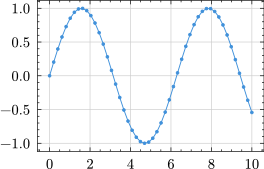
Frame is a container that can wrap any content that can’t automatically convert to HTML, convert them to SVGs. It can be used to display diagrams or any other content that needs to be rendered as an image.
In web output and dark mode, the content will be color-inverted to adapt to the background, but you can disable this feature by setting invert-color to false.
#tybios.frame[contents]#tybios.frame(invert-color: false)[contents]